
19 KiB
GPT Image 2 Skill
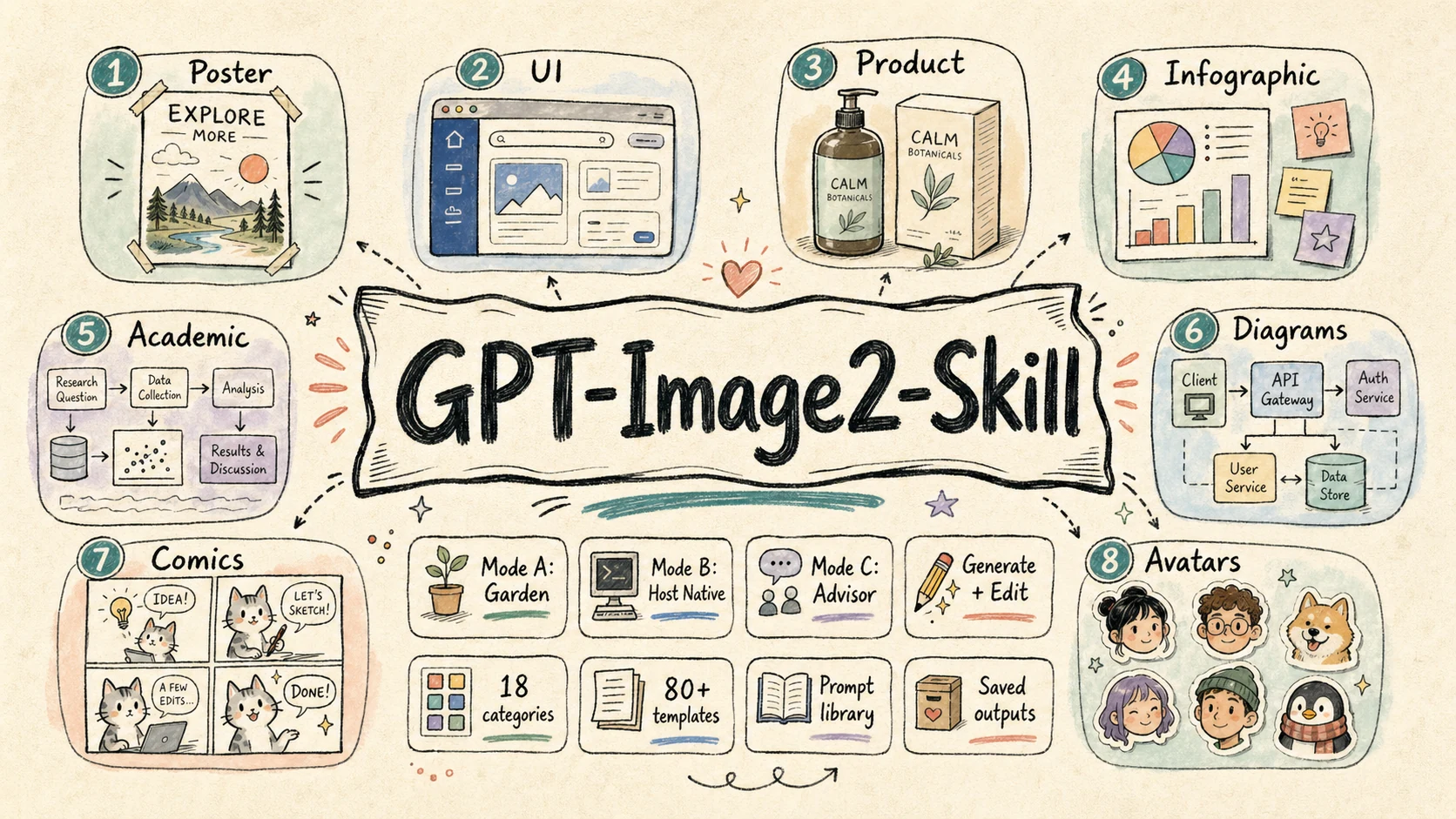
A focused image-generation / editing skill for GPT Image 2, with a single SKILL definition that adapts to three runtime modes — local generation, host-native delegation, and pure prompt advisor.
中文文档 · Back to collection root
What it does
This skill is a structured prompt-engineering and image-generation pack built around the GPT Image 2 model (and OpenAI-compatible image endpoints). It only does two image tasks — POST /images/generations and POST /images/edits — but it does them in three different runtime environments without changing user-facing behavior.
It bundles:
- A mode-aware workflow so the same skill works whether the agent itself owns the image API key, the host has its own image tool, or there is no image tool at all.
- A structured template library of 18 categories and 79 prompt templates covering posters, UI mockups, product visuals, infographics, academic figures, technical diagrams, comics, avatars, and editing workflows.
- Reproducible prompt + image archival under
garden-gpt-image-2/prompt/andgarden-gpt-image-2/image/with task-slug + timestamp naming.
The three runtime modes
The very first thing this skill does on any task is run a tiny detection script:
node skills/gpt-image-2/scripts/check-mode.js
# or for structured output:
node skills/gpt-image-2/scripts/check-mode.js --json
The output picks one of three modes:
| Mode | Trigger | Behavior |
|---|---|---|
| A — Garden local | ENABLE_GARDEN_IMAGEGEN truthy AND OPENAI_API_KEY present |
End-to-end: pick template → render prompt → call generate.js / edit.js → image lands on disk |
| B — Host-native | Garden disabled, but the host agent already has an image tool (image_generation, dalle, nano_banana, image MCP, etc.) |
Render the prompt, then delegate image generation to the host's own tool |
| C — Advisor | Garden disabled, host has no image tool | Skill degrades into a high-quality prompt writer — saves the rendered prompt to garden-gpt-image-2/prompt/ and instructs the user to paste it into ChatGPT / Midjourney / DALL·E / Sora / Nano Banana / their own gateway |
In all three modes, prompt files are saved (mode A & C must save, mode B is recommended for reuse). Only mode A produces an image file; mode B leaves that to the host, mode C cannot.
Quick start
0. Detect the mode (always step 0)
node skills/gpt-image-2/scripts/check-mode.js
The commands below (1–4) only apply in Mode A.
1. Text-to-image
node skills/gpt-image-2/scripts/generate.js \
  --prompt "A cute baby sea otter" \
  --size 1024x1024 \
  --quality high
2. Generate from a saved prompt file
node skills/gpt-image-2/scripts/generate.js \
  --promptfile garden-gpt-image-2/prompt/poster-20260424-153045.md
3. Edit an existing image
node skills/gpt-image-2/scripts/edit.js \
  --image assets/source.png \
  --prompt "Replace the background with a clean studio scene"
4. Mask-based local edit
node skills/gpt-image-2/scripts/edit.js \
  --image assets/source.png \
  --mask  assets/mask.png \
  --prompt "Replace only the masked area with a glass vase"
For Mode B / C there is no CLI entry point — the skill just renders the final prompt and either hands it to the host's image tool (B) or shows it to the user (C).
Case Gallery
The public case library covers 18 categories, 79 templates, and 160+ generated / edited results. This gallery is a curated map of the most important capability families: each thumbnail opens the live case page, while the image itself is served from the dedicated ConardLi/gpt-image-2-101 case repository.
UI Mockups
 live-commerce-uiCelebrity livestream commerce interface. |
 social-interface-mockupOfficial product announcement in a social feed. |
 product-card-overlaySkincare landing-page hero with product, model, and badges. |
 chat-interface-sceneClaude-style assistant screenshot with structured conversation. |
Product And Branding
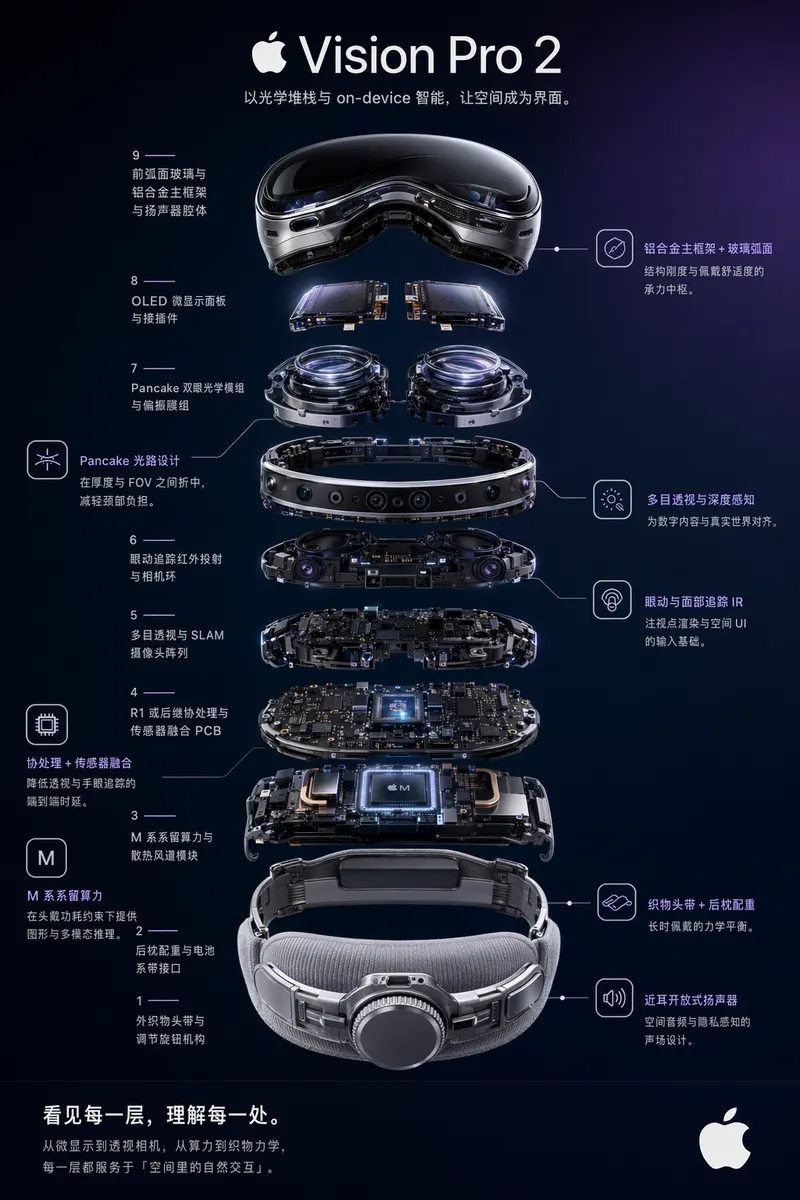 exploded-view-posterVision Pro 2 optical and compute-module teardown. |
 premium-studio-productLuxury skincare still life for editorial product pages. |
 cosmetic-packagingPremium skincare gift box with material polish. |
 beverage-label-designGuochao sparkling-water bottle label and commercial scene. |
Editing Workflows
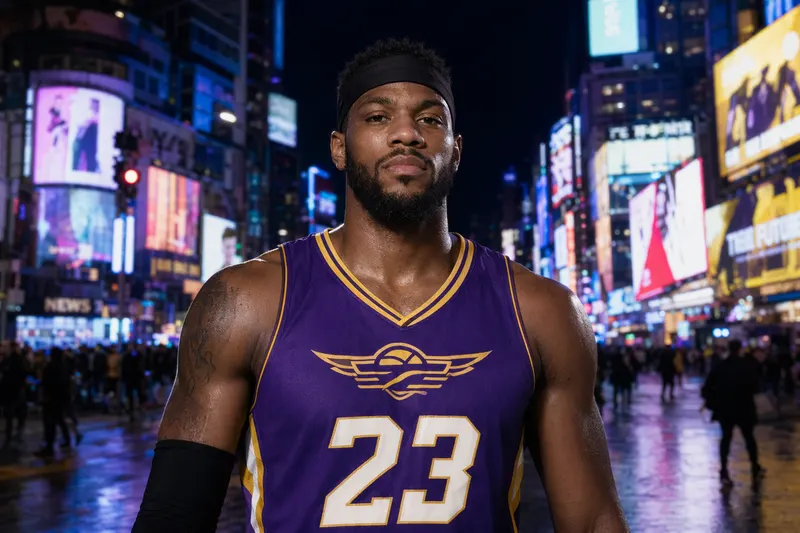 background-replacementPortrait moved into Times Square night ambience. |
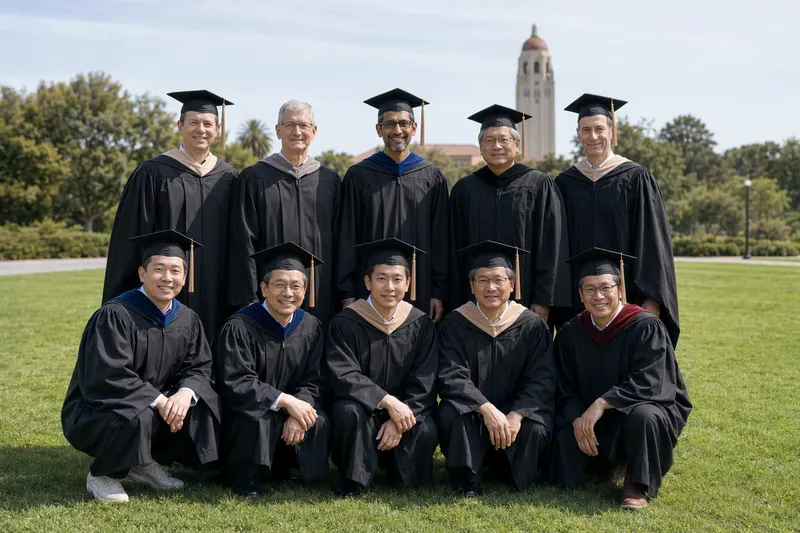 object-removalRemove unwanted people from a graduation group photo. |
 product-retouchingCommerce-grade AirPods product cleanup. |
 portrait-local-editHair color and style edit while preserving identity. |
Infographics And Visual Docs
 bento-grid-infographiciPhone 16 Pro feature breakdown in a compact grid. |
 comparison-infographicPhone comparison designed for decision support. |
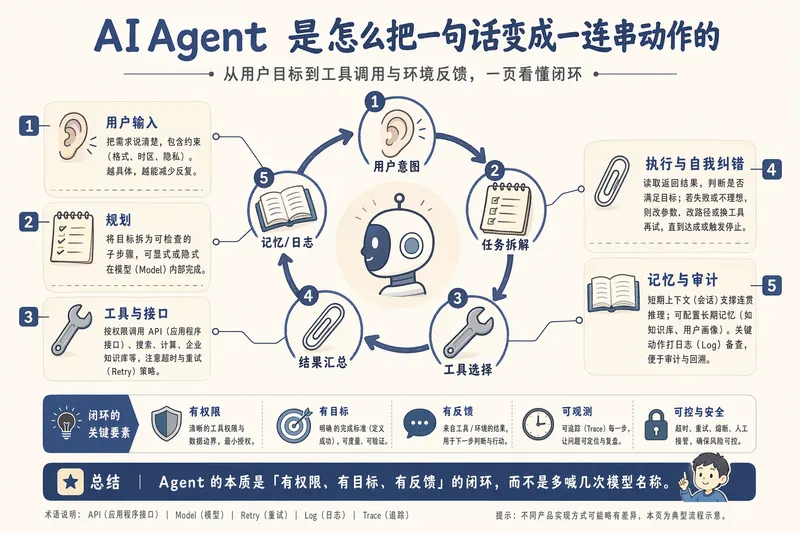 dense-explainer-slidesOne-page AI Agent mechanism explainer. |
 visual-report-pageBusiness summary page with KPI cards and chart rhythm. |
Academic And Technical
 method-pipeline-overviewRAG-based long-context QA pipeline for papers. |
 neural-network-architectureViT-B/16 architecture figure with tensor flow. |
 system-architectureMulti-tenant AI SaaS production architecture. |
 sequence-diagramOAuth 2.0 authorization code + PKCE sequence. |
Story, Maps And Characters
 anime-key-visualFantasy game launch key visual with crop-safe layout. |
 food-mapShanghai city-walk food map with illustrated landmarks. |
 travel-route-mapKyoto three-day route map with illustrated stops. |
 professional-portraitRestrained executive portrait for company and media pages. |
Full library: live case browser · case source repository · local index at website/gpt-image2-website/public/case/INDEX.md.
Skill structure
skills/gpt-image-2/
├── SKILL.md                       Main skill definition
├── scripts/
│   ├── check-mode.js              Mode A/B/C detector (run this first)
│   ├── generate.js                Text-to-image (Mode A only)
│   ├── edit.js                    Image edit / inpaint (Mode A only)
│   ├── shared.js                  Shared request, save, env-resolution logic
│   └── package.json
└── references/
    ├── prompt-writing.md          Methodology: how to design templates & ask for missing fields
    ├── ui-mockups/                Live commerce, social, product card, chat, video cover
    ├── product-visuals/           Exploded view, white-bg, premium studio, packaging, lifestyle
    ├── infographics/              Information graphics
    ├── poster-and-campaigns/      Brand poster, campaign KV, banner, editorial cover
    ├── slides-and-visual-docs/    Dense explainer, policy slide, visual report, educational
    ├── portraits-and-characters/  Pro portrait, founder portrait, virtual host, character sheet
    ├── scenes-and-illustrations/  Healing, concept, picture book, minimalist mood
    ├── editing-workflows/         Background replace, local replace, removal, retouch, portrait
    ├── avatars-and-profile/       Style transfer, character grid, 3D icon, sticker, cultural series
    ├── storyboards-and-sequences/ 4-panel, manga spread, anime KV, character relations, recipe
    ├── grids-and-collages/        2×2 banner grid, lookbook, mixed-style, anime pitch board
    ├── branding-and-packaging/    Identity board, mascot kit, cosmetic, beverage label
    ├── typography-and-text-layout/ Title-safe poster, bilingual layout
    ├── assets-and-props/          Skeuomorphic icons, game screenshot mockup
    ├── academic-figures/          Method pipeline, NN architecture, qualitative comparison
    ├── technical-diagrams/        Architecture, flow, sequence diagrams
    └── maps/                      Food map, travel route, illustrated city, store distribution
Environment variables
Read in this order: CLI args → process.env → <cwd>/.env → <cwd>/.gateway.env → ~/.gateway.env.
| Variable | Required | Purpose |
|---|---|---|
ENABLE_GARDEN_IMAGEGEN |
Mode A | Master switch for Mode A (1 / true / yes / on) |
OPENAI_API_KEY |
Mode A | Required for actual image API calls |
OPENAI_BASE_URL |
optional | Default https://api.openai.com/v1; can point to any OpenAI-compatible gateway |
OPENAI_IMAGE_MODEL |
optional | Default gpt-image-2; can be swapped for gpt-image-1 / dall-e-3 / etc. |
The skill is wire-compatible with the OpenAI image API and is not hard-coded to any third-party gateway.
Output convention
Unless the user specifies otherwise:
| What | Where | Used in |
|---|---|---|
| Rendered prompts | garden-gpt-image-2/prompt/<task-slug>-<timestamp>.md |
A / B / C |
| Generated images | garden-gpt-image-2/image/<task-slug>-<timestamp>.png |
A only (B = host decides, C = none) |
<task-slug> is auto-derived from the user's request; <timestamp> is YYYYMMDD-HHMMSS.
Examples:
garden-gpt-image-2/prompt/live-commerce-ui-20260424-153045.mdgarden-gpt-image-2/image/vr-headset-exploded-view-20260424-153102.png
Design principles
- Mode-aware first. The same skill never silently fails because the host doesn't have an API key — it degrades cleanly into B or C and tells the user what happened.
- Templates over freeform prompts. 18 categories of pre-validated structured templates with explicit
{argument ...}slots anddefaultmarkers — much higher quality than asking "describe what you want." - Ask precisely, not vaguely. When a template field is missing, the skill asks per field (e.g. "Who is the host? real photo, named celebrity, free description, or random?") instead of "what style do you want?"
- Always archive prompts. Even in advisor mode, the rendered prompt is saved so the work is reusable.
- OpenAI-compatible by default. No vendor lock-in to any specific gateway.
License
MIT