
18 KiB
Web Video Presentation Skill
A method-driven agent skill for turning scripts and articles into click-driven 16:9 web presentations that can be screen-recorded as cinematic videos.
中文文档 · Back to collection root
What Is This?
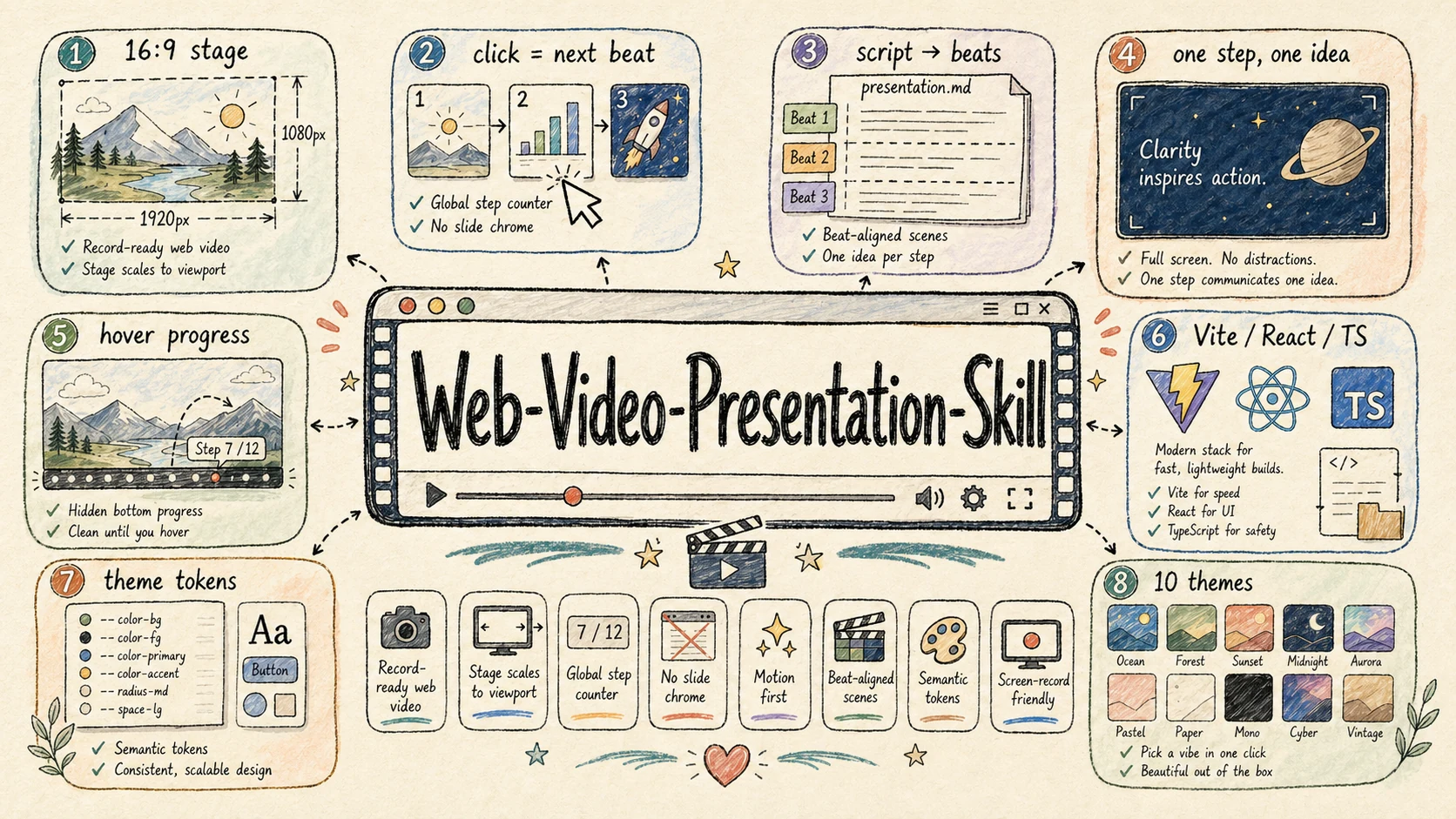
web-video-presentation helps an agent build a Vite + React + TypeScript presentation that behaves like a video production surface rather than a slide deck. Each click advances one narration beat, each step owns the whole 1920×1080 stage, and the progress UI stays hidden unless hovered so the output is clean for screen recording.
It is designed for:
- Turning a written article into a Bilibili / YouTube / video-channel narration script
- Turning an existing voiceover script into a cinematic web presentation
- Building product demos, tutorials, keynote-style explainers, and visual talks
- Creating “dynamic PPT, but not PPT” experiences with strong motion and pacing
- Optionally synthesizing narration audio after the visual outline is approved
The skill is primarily a methodology and collaboration workflow. The scaffold supplies reusable tokens, stage primitives, themes, and examples, but each project should still choose a visual language that fits the topic.
Core Ideas
- Fixed 16:9 stage — content is authored in a stable 1920×1080 coordinate system and scaled to the viewport.
- One global step cursor — click or keyboard advances
(chapter, step), with the cursor persisted locally. - One step, one idea — every beat gets a focused full-screen scene instead of accumulating slide bullets.
- Script beats drive structure — narration rhythm maps directly to visual steps.
- Hidden chrome — progress controls are hover-only, keeping recordings clean.
- Motion first — each scene needs a moving visual anchor; static paragraphs are treated as a smell.
- Theme tokens — visual decisions flow through semantic tokens so themes can change the whole feel.
- Pluggable TTS — provider-agnostic audio runner ships two built-in providers (MiniMax
mmx-cliand OpenAI TTS via curl); swap to ElevenLabs / edge-tts / Azure / Google Cloud / macOSsay/ any self-hosted TTS by dropping a single shell file intotts-providers/. - Hard checkpoints — the agent pauses after script/theme alignment, after outline approval, and before optional audio synthesis.
Workflow
Phase 1.1  Identify input
Phase 1.2  Article -> narration script
   |
Checkpoint A1  Script, theme, and rough asset plan
   |
Phase 1.3  Script + article -> outline.md
   |
Checkpoint A2  Outline approval + development mode
   |
Phase 2    Build the Vite / React / TS presentation
   |
Checkpoint B   Ask whether to synthesize audio
   |
Phase 3    Optional audio synthesis
Phase 4    Recording and post-production
The checkpoints are part of the skill contract: the agent should not silently rush from raw article to finished code. Theme choice influences motion design, and outline approval keeps chapter pacing from drifting.
What It Ships
skills/web-video-presentation/
├── SKILL.md
├── README.md / README.zh-CN.md
├── references/
│   ├── PRINCIPLES.md
│   ├── CHAPTER-CRAFT.md
│   ├── OUTLINE-FORMAT.md
│   ├── SCRIPT-STYLE.md
│   ├── THEMES.md
│   ├── AUDIO.md
│   └── RECORDING.md
├── scripts/
│   └── scaffold.sh
├── templates/
│   ├── index.html
│   ├── vite.config.ts
│   ├── scripts/
│   │   ├── extract-narrations.ts
│   │   ├── synthesize-audio.sh       # provider-agnostic runner
│   │   └── tts-providers/            # 1 file = 1 TTS backend
│   │       ├── README.md             # contract + ready-to-paste ElevenLabs / edge-tts / Azure / Google / say snippets
│   │       ├── minimax.sh            # default — uses mmx-cli
│   │       └── openai.sh             # built-in — uses OPENAI_API_KEY via curl
│   └── src/
└── themes/                    # 23 themes, each with its own signature
    ├── midnight-press/
    ├── warm-keynote/
    ├── newsroom/
    ├── bauhaus-bold/
    └── ...                     # full list in references/THEMES.md
Quick Start
Copy the skill into the directory your agent scans, then ask it to turn a script or article into a web-video presentation.
To scaffold manually from inside a project:
bash skills/web-video-presentation/scripts/scaffold.sh ./presentation --theme=paper-press
List available themes:
bash skills/web-video-presentation/scripts/scaffold.sh --list-themes
The generated presentation/ project is a normal Vite + React + TypeScript app. Run it like any other Vite project, then record the 16:9 stage with your screen recorder.
Theme Gallery
The skill ships 23 themes, each with its own design DNA — not a simple color swap. Browse the gallery below by canvas tone, pick one that fits the topic, or use any tile as a starting point for a derived theme. Click any preview to open the full-size 1920×1080 frame.
Frames are real 16:9 stages rendered by the live demo gallery at
demo/web-video-presentation-demo.
Dark · 8 themes
Cinematic dark canvases — for focus, drama, and high-contrast storytelling.
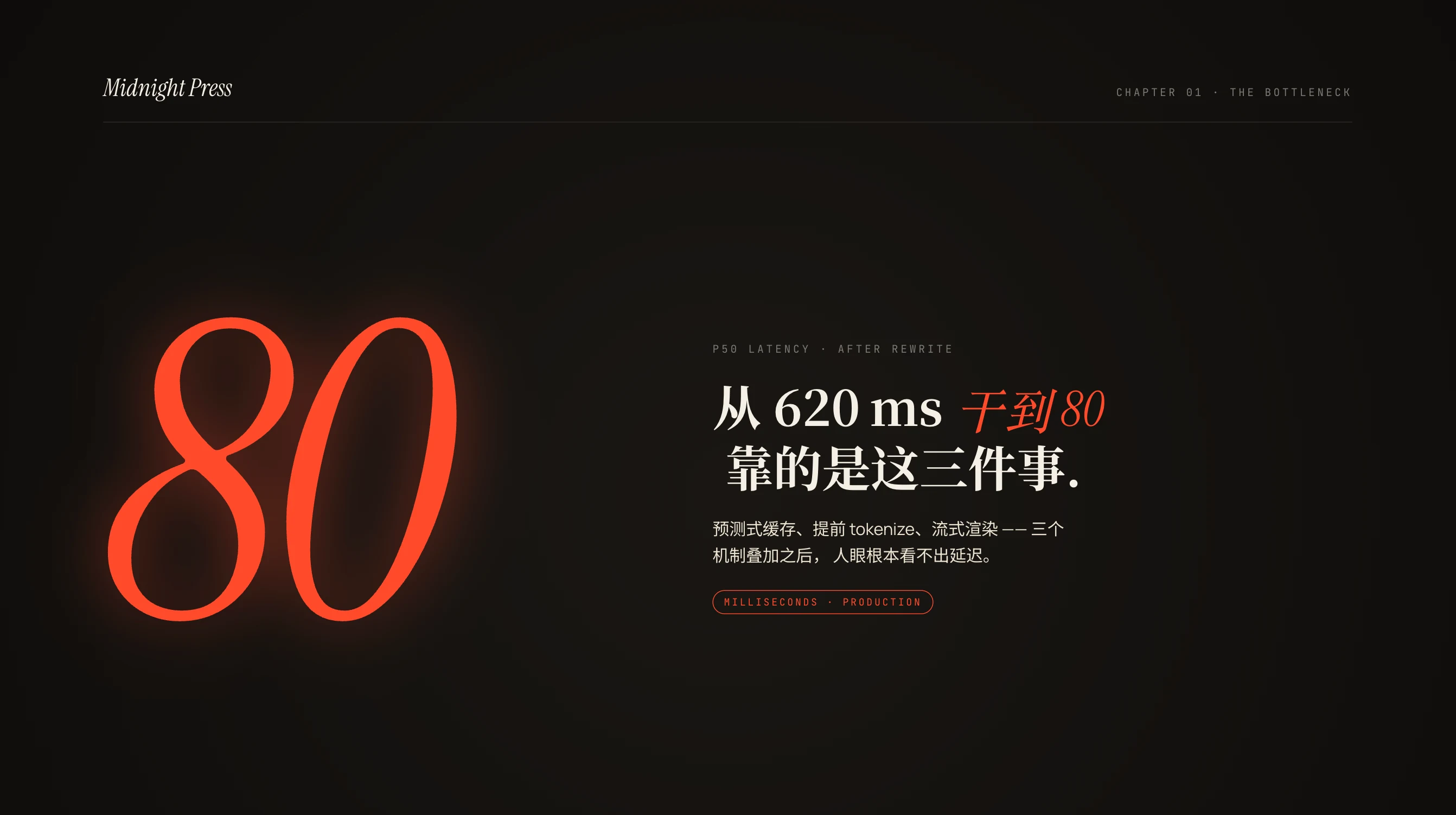
midnight-press
Cinematic editorial dark · warm espresso + hot orange Best for · developer tutorials · AI & tool reviews · technical deep dives |
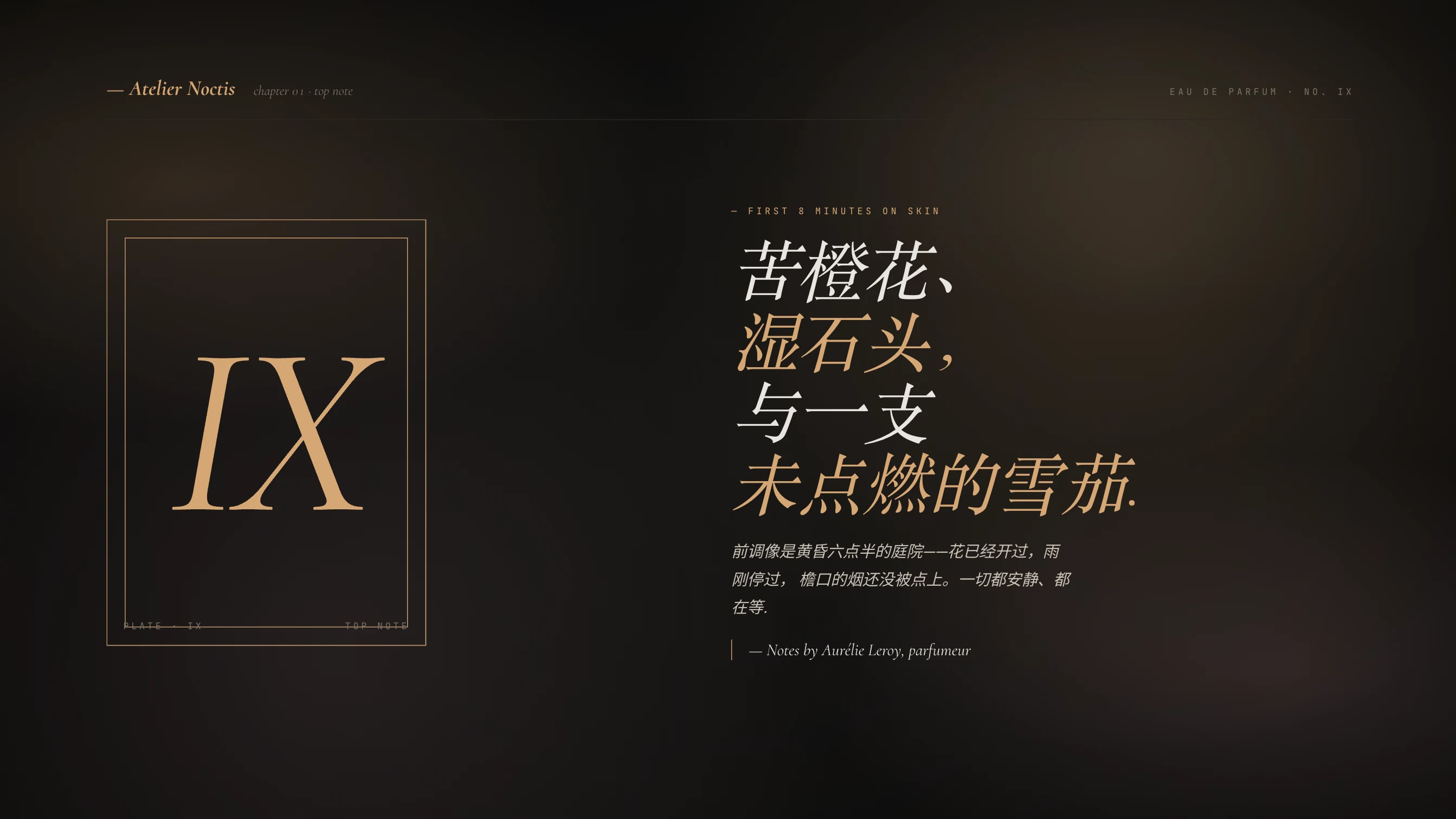
dark-botanical
Premium editorial dark · terracotta / blush / gold glow Best for · brand films · fashion & beauty · premium product launches |

chalk-garden
Slate chalkboard · handwritten Patrick Hand + chalk-yellow Best for · explainers · classroom teaching · beginner-friendly walk-throughs |
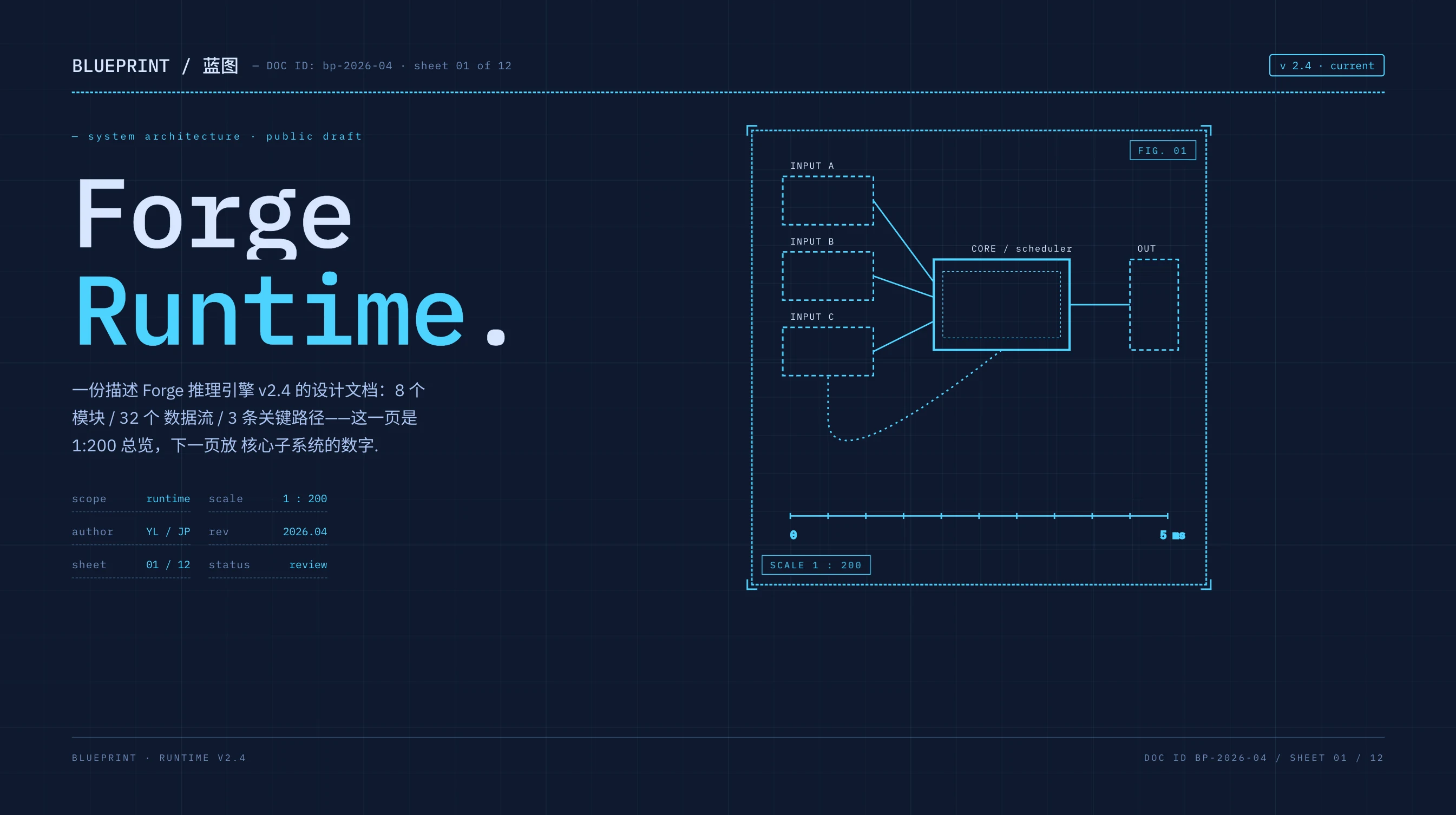
blueprint
Drafting board · deep navy + cyan + 60 px grid Best for · tech architecture · system breakdowns · API / SDK intros |
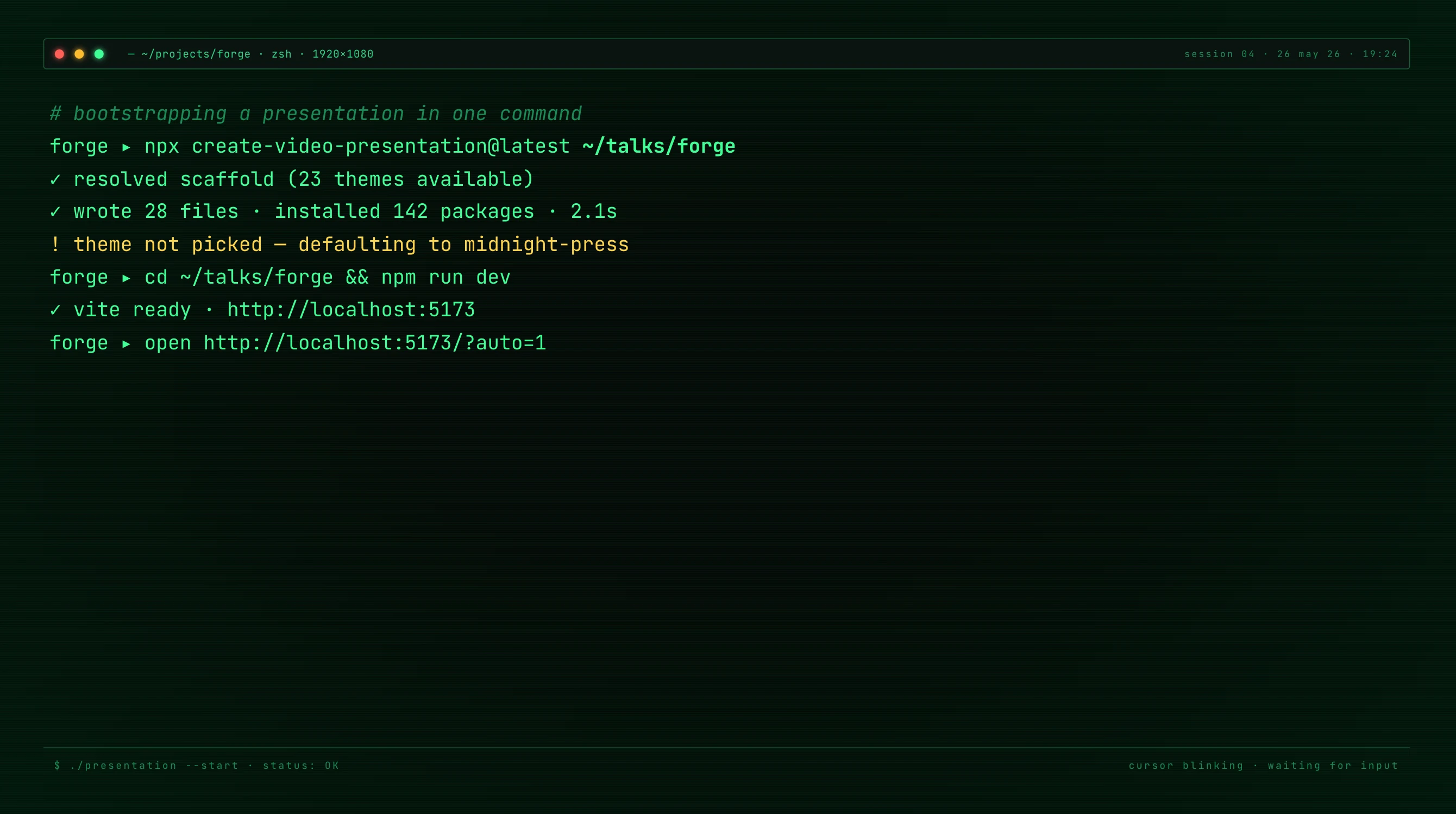
terminal-green
80s phosphor CRT · mono-only + scanlines Best for · CLI tutorials · hacker / security topics · retro-tech homages |

neon-cyber
Cyberpunk future · cyan + magenta double-neon Best for · AI / LLM reviews · web3 & security · futuristic / cyberpunk topics |

bold-signal
Hero pitch deck · dark gradient + orange focal card Best for · pitch decks · product launches · brand keynote opens |
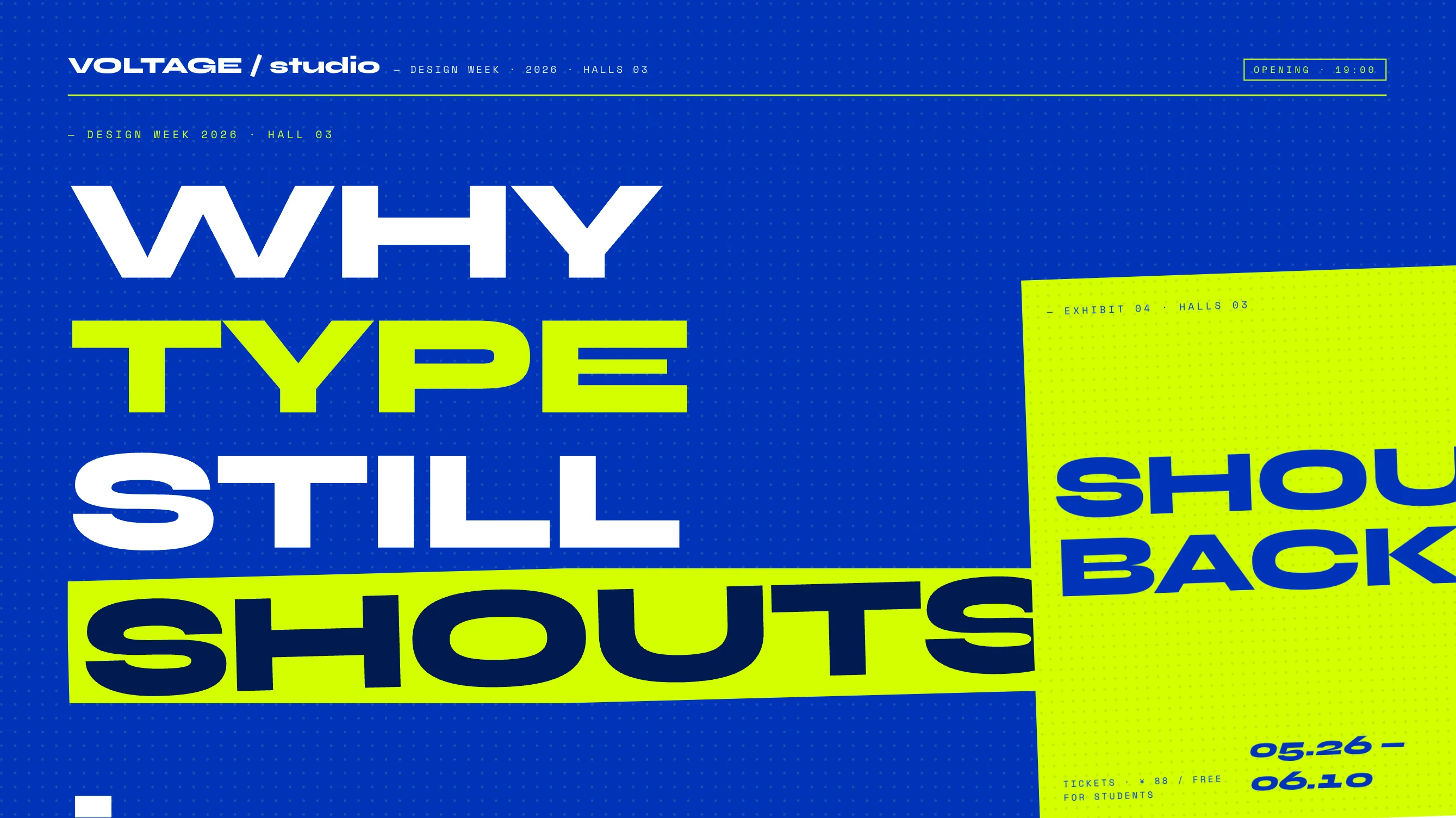
creative-voltage
Saturated electric blue + neon yellow halftone Best for · design week · studio showcases · type / visual-culture talks |
Light · 15 themes
Bright editorial canvases — for clarity, restraint, and the warmth of printed paper.
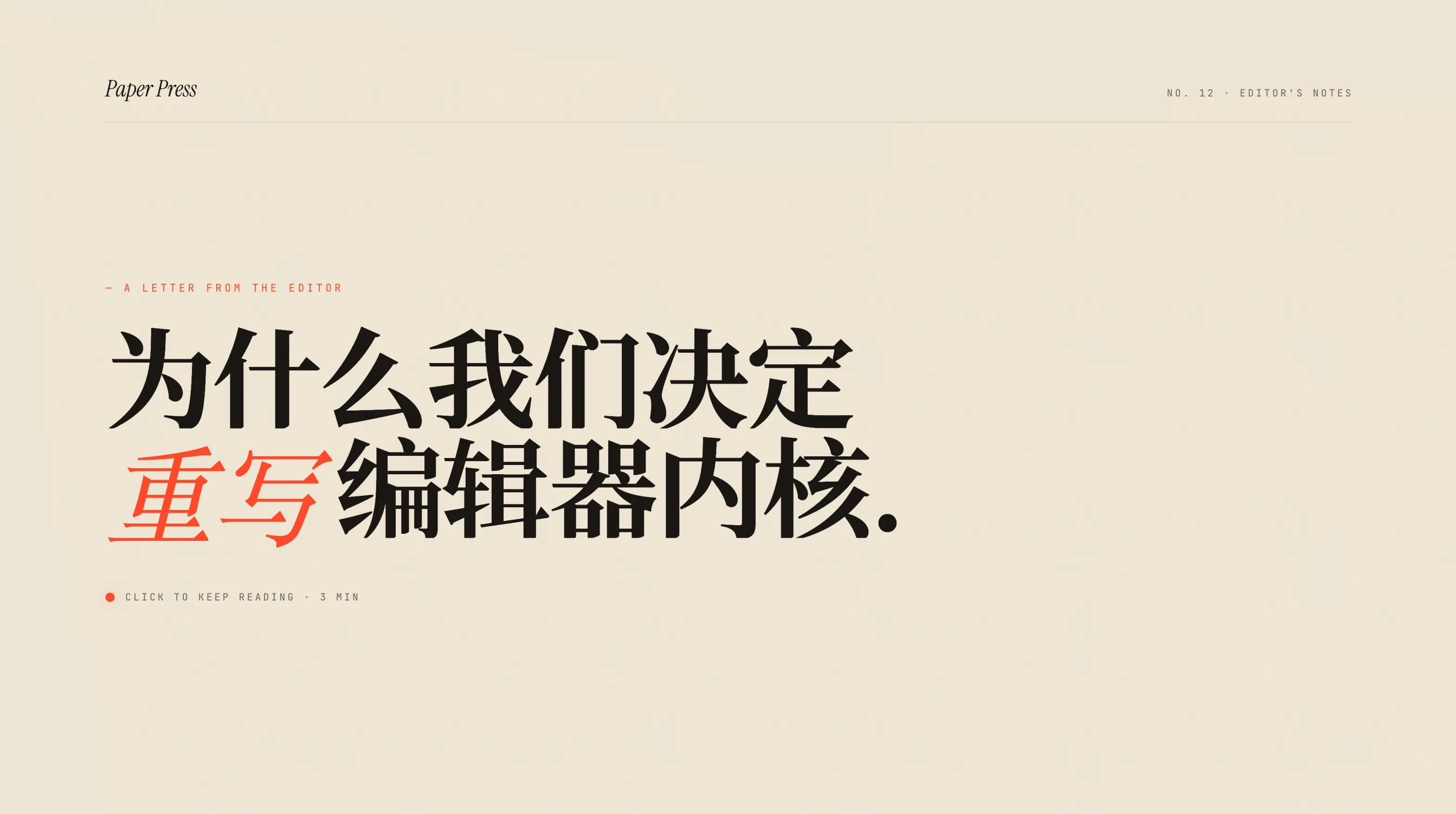
paper-press
Editorial paper · warm cream + hot orange Best for · magazine pieces · lifestyle · everyday tool reviews |

newsroom
NYT broadsheet · newsprint cream + banner red Best for · documentary reporting · deep reviews · current-affairs commentary |

monochrome-print
Refined Monocle / Wallpaper print restraint Best for · long-read adaptations · academic / opinion · arts criticism |

vintage-editorial
Witty Fraunces + geometric overlay (circle / line / dot) Best for · personal essays · culture columns · type / design talks |
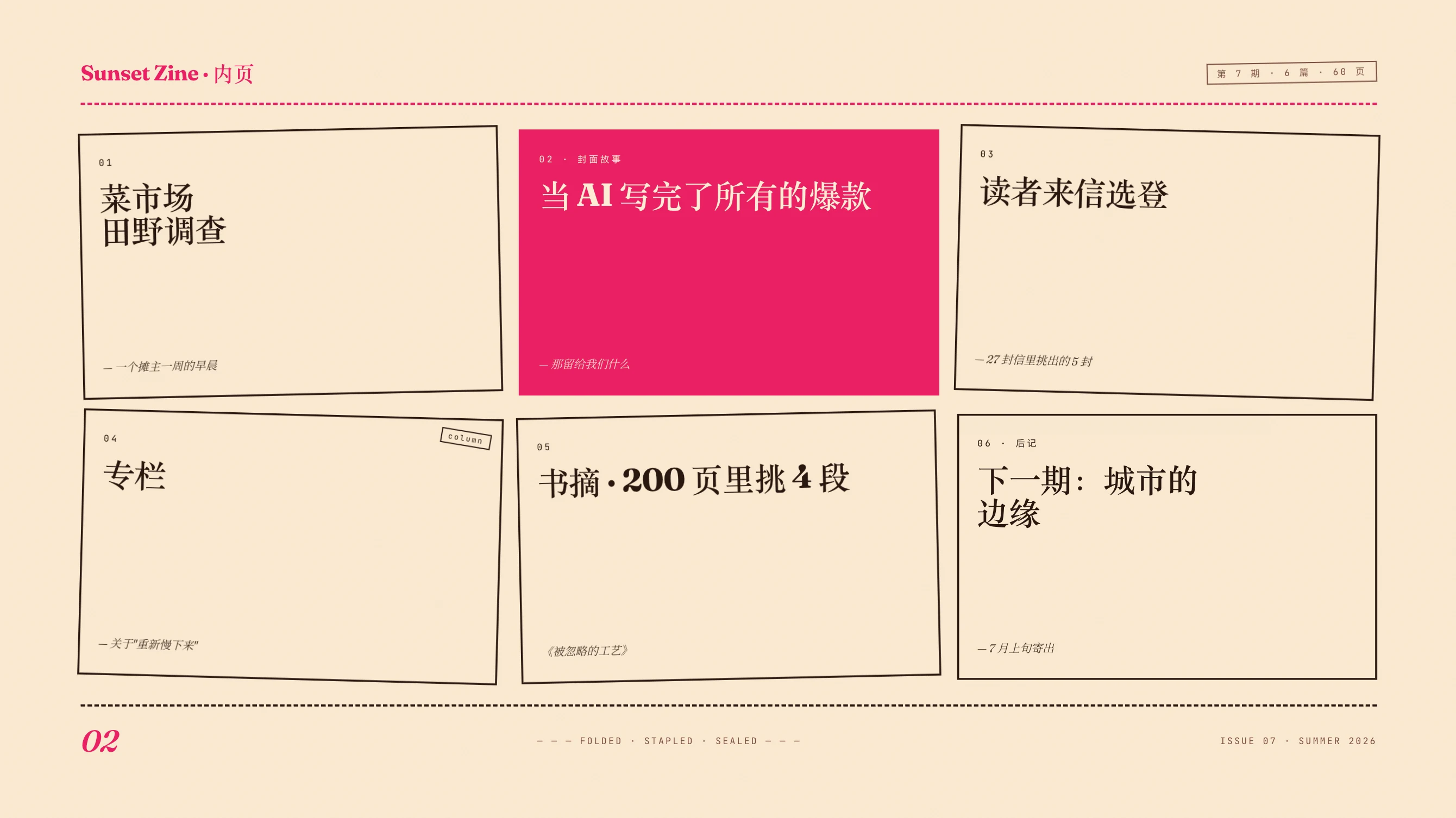
sunset-zine
Risograph zine · peach + magenta + dashed cut lines Best for · lifestyle vlogs · creative shares · short-video / zine-style |

pastel-dream
Soft pastel + sage + right-edge pill ribbon Best for · product onboarding · friendly tutorials · wellness & parenting |
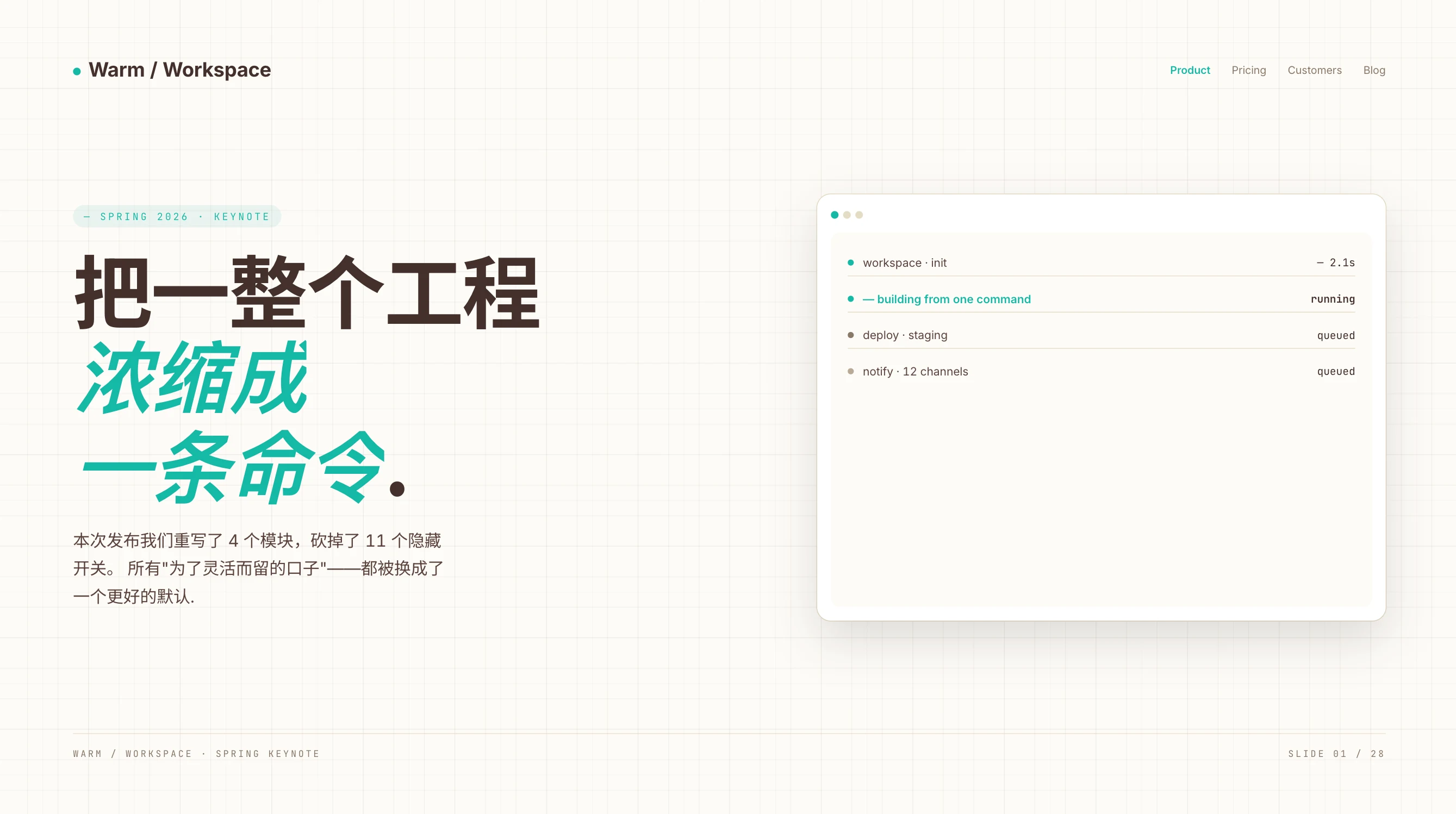
warm-keynote
Modern SaaS keynote · glass slab + teal + warm grid Best for · SaaS keynotes · B2B launches · team-facing roll-ups |
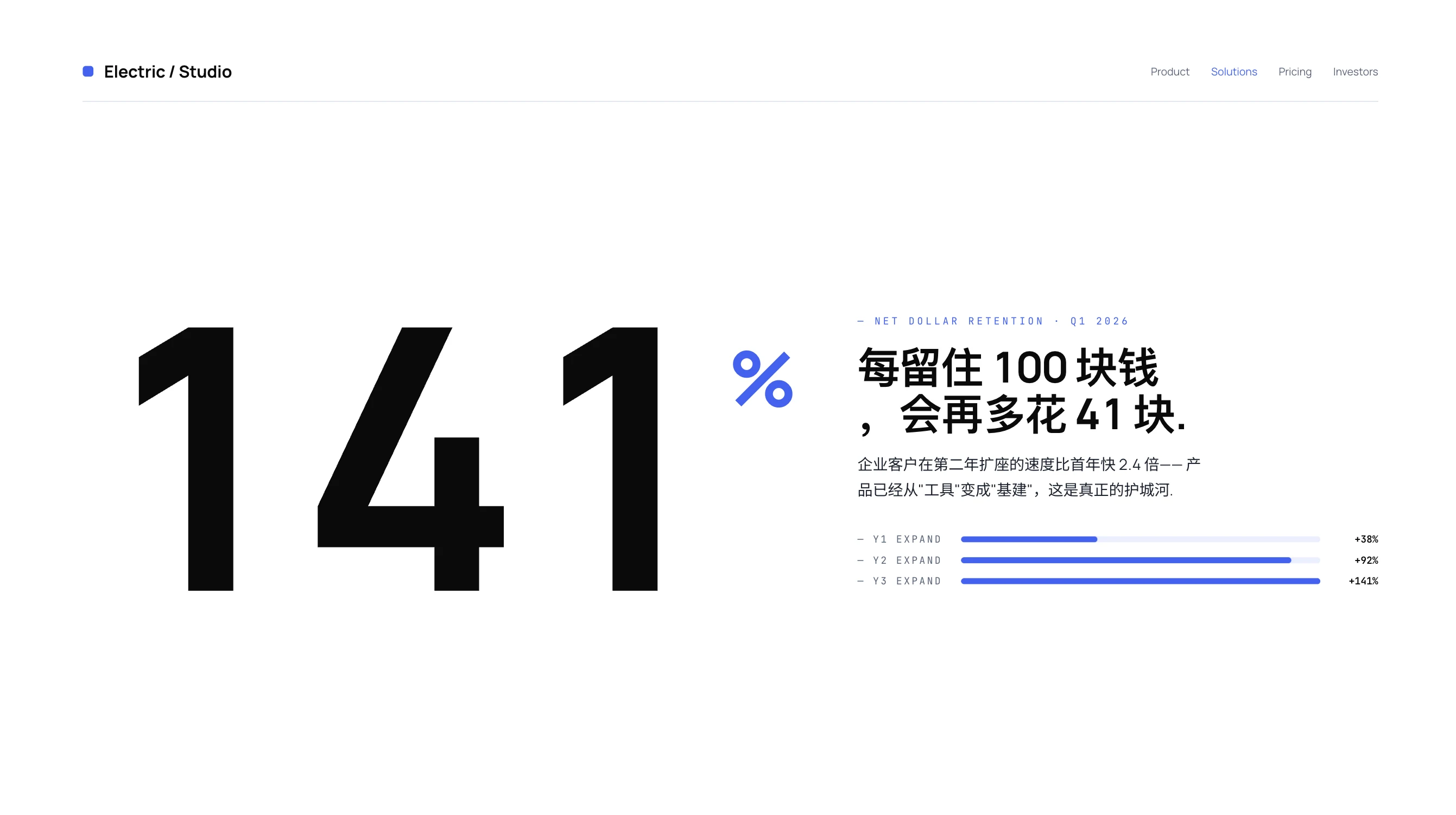
electric-studio
Corporate clarity · crisp white + electric-blue base bar Best for · B2B product talks · investor decks · quarterly updates |

bauhaus-bold
Manifesto modernist · 0 radius + 4 px thick frame Best for · product launches · manifestos · brand statements |

swiss-ikb
Extra-light 200 Helvetica + IKB + 1 px hairline grid Best for · AI / tech launches · year-in-review data · info-graphics |
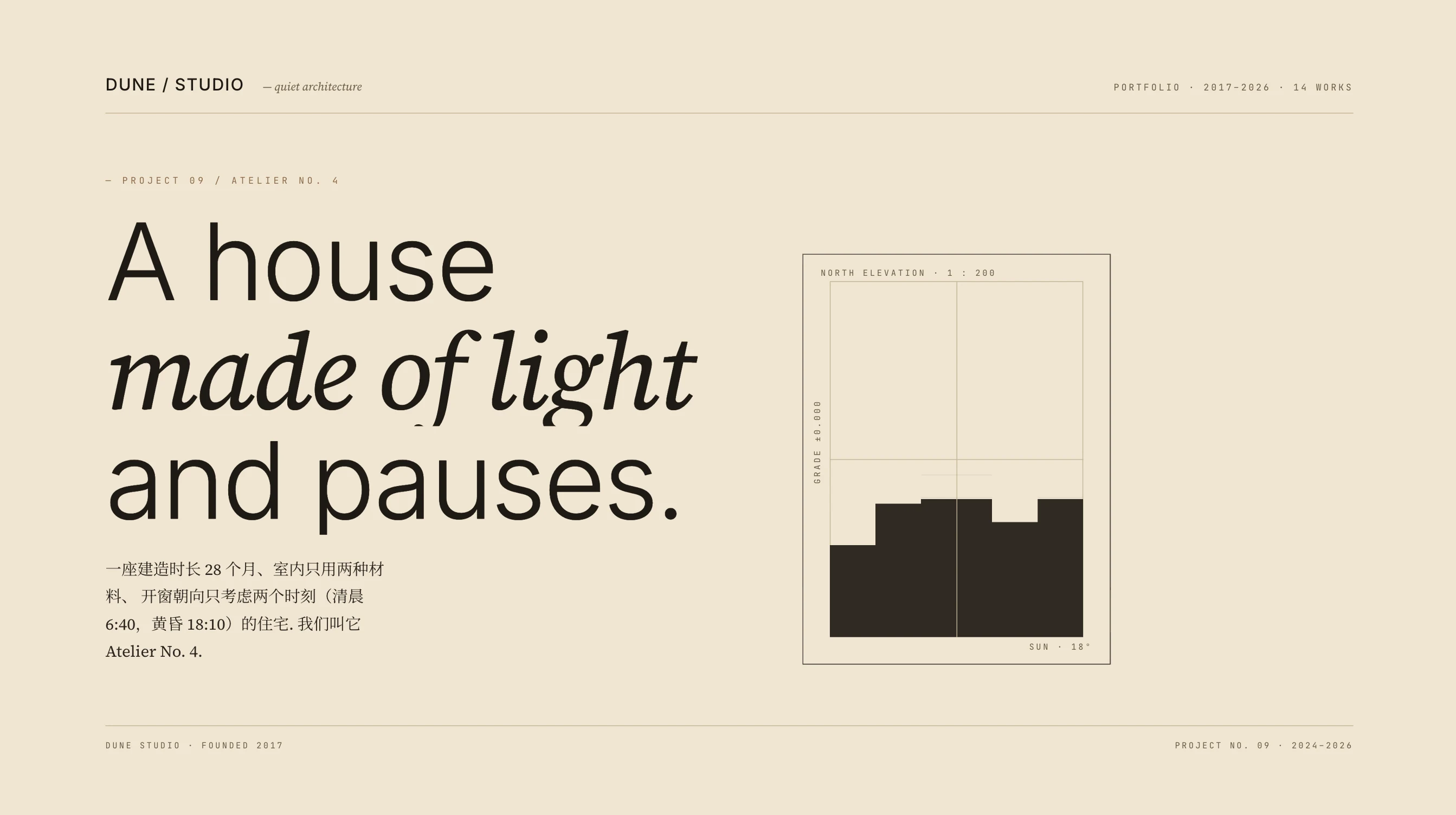
dune
Charcoal + sand · near-zero accent (architecture brochure) Best for · architecture & interior · art exhibitions · premium brand books |

indigo-porcelain
Indigo is the ink (not an accent) + porcelain white Best for · academic research · AI / data deep dives · serious tech briefings |
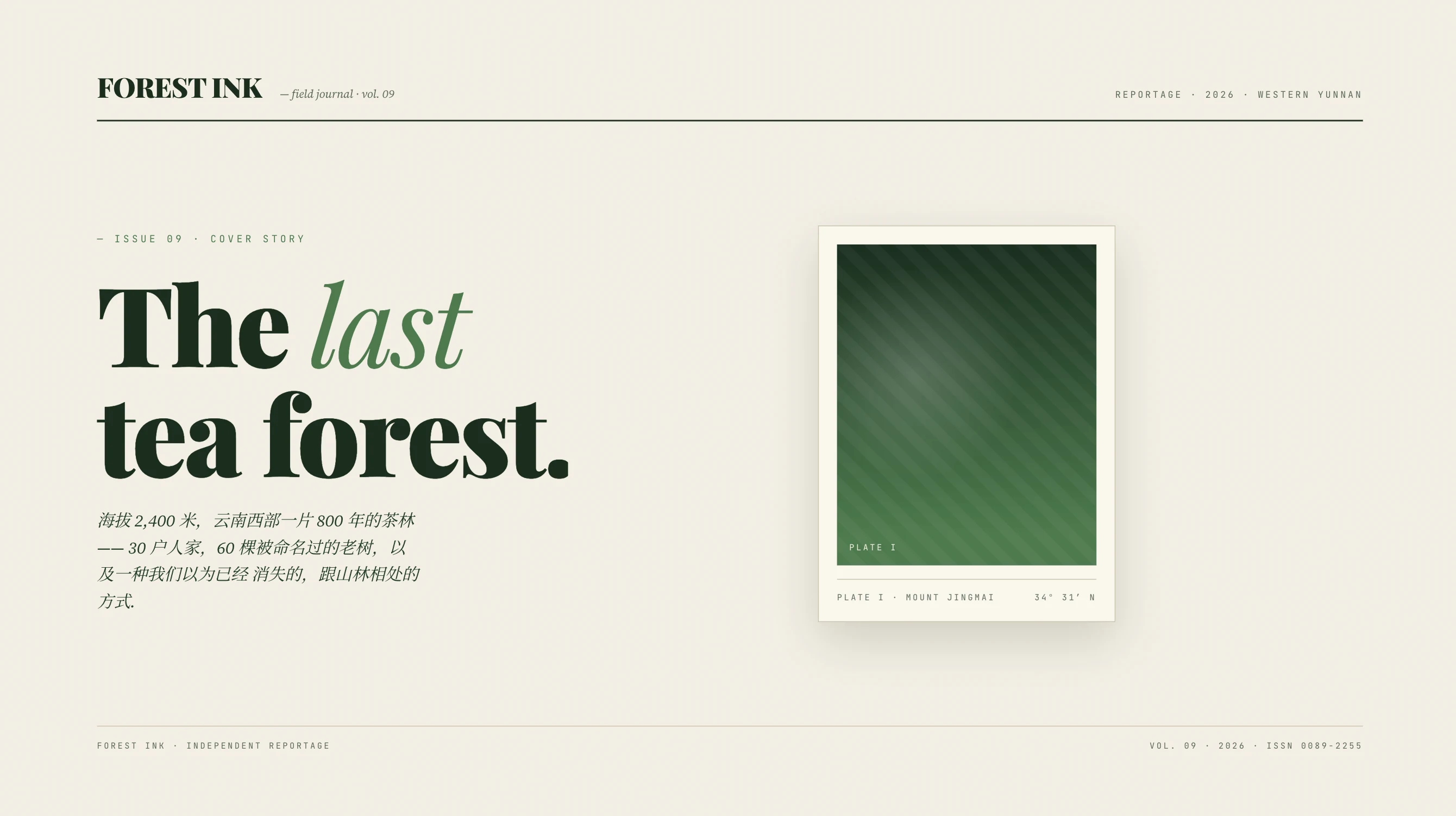
forest-ink
Forest green is the ink + ivory (vintage National Geographic) Best for · nature & sustainability · documentary non-fiction · slow living |

kraft-paper
Deep brown is the ink + kraft beige + copper accent Best for · book reviews · history & nostalgia · craft & food storytelling |
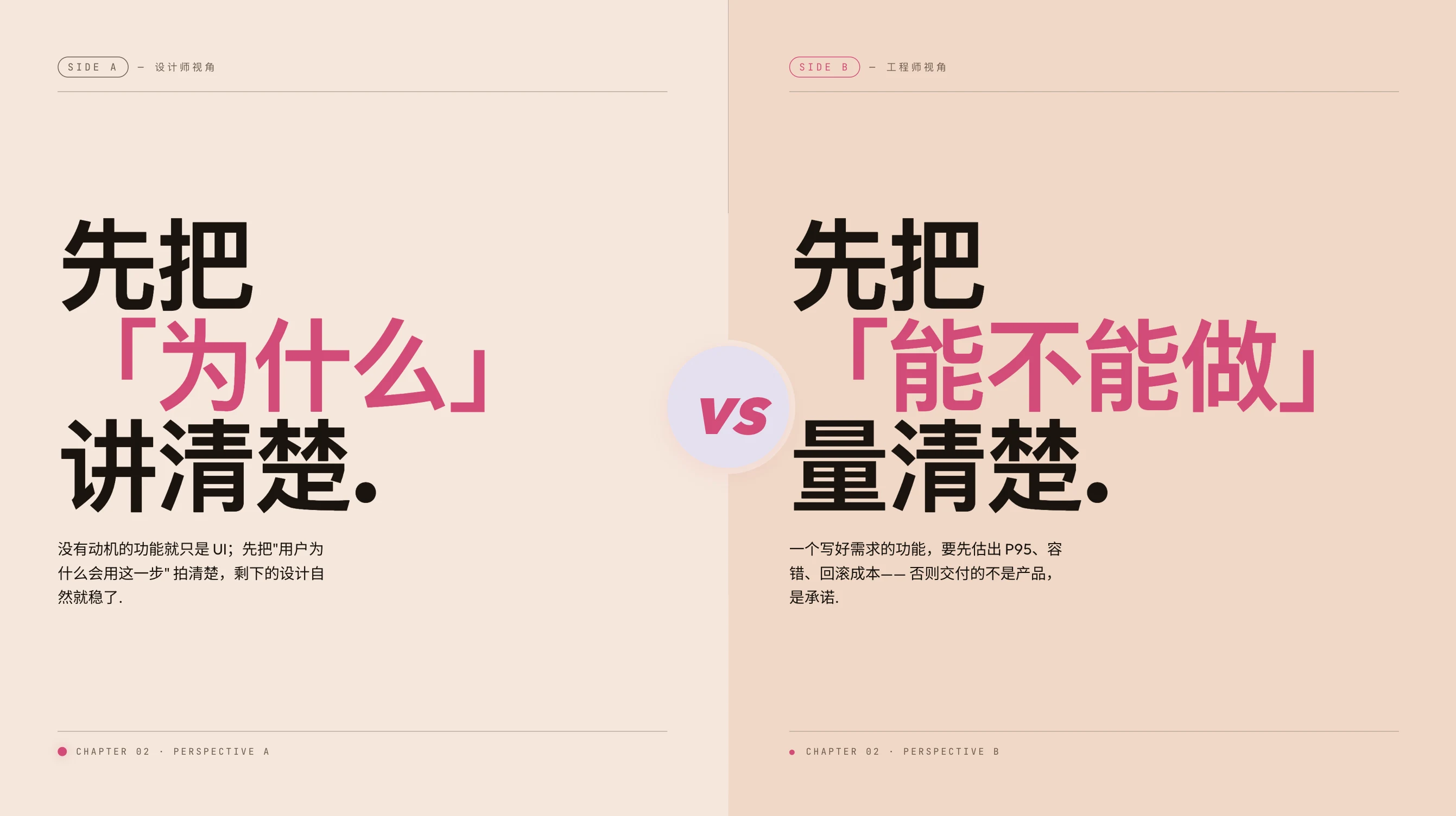
split-canvas
Dual-tone · peach left + lavender right Best for · A/B comparisons · dialogue stories · concept-contrast explainers |
+ derive your own See THEMES.md for the token contract, theme signatures, and Swiss yellow / green / orange variants. |
Reference Map
- PRINCIPLES.md — core rules for video-like web presentations
- CHAPTER-CRAFT.md — chapter implementation rules and visual checklist
- OUTLINE-FORMAT.md — required outline structure
- SCRIPT-STYLE.md — article-to-narration rewrite guidance
- PATTERNS.md — optional visual primitive recipes
- AUDIO.md — optional narration synthesis workflow (provider-agnostic)
- tts-providers/README.md — TTS provider contract + 2 built-ins (minimax / openai) + ready-to-paste snippets for ElevenLabs / edge-tts / Azure / Google Cloud / macOS say
- RECORDING.md — screen recording and post-production notes